READ BELOW TO GET STARTED
STEP BY STEP - TO GET YOU SETUP!
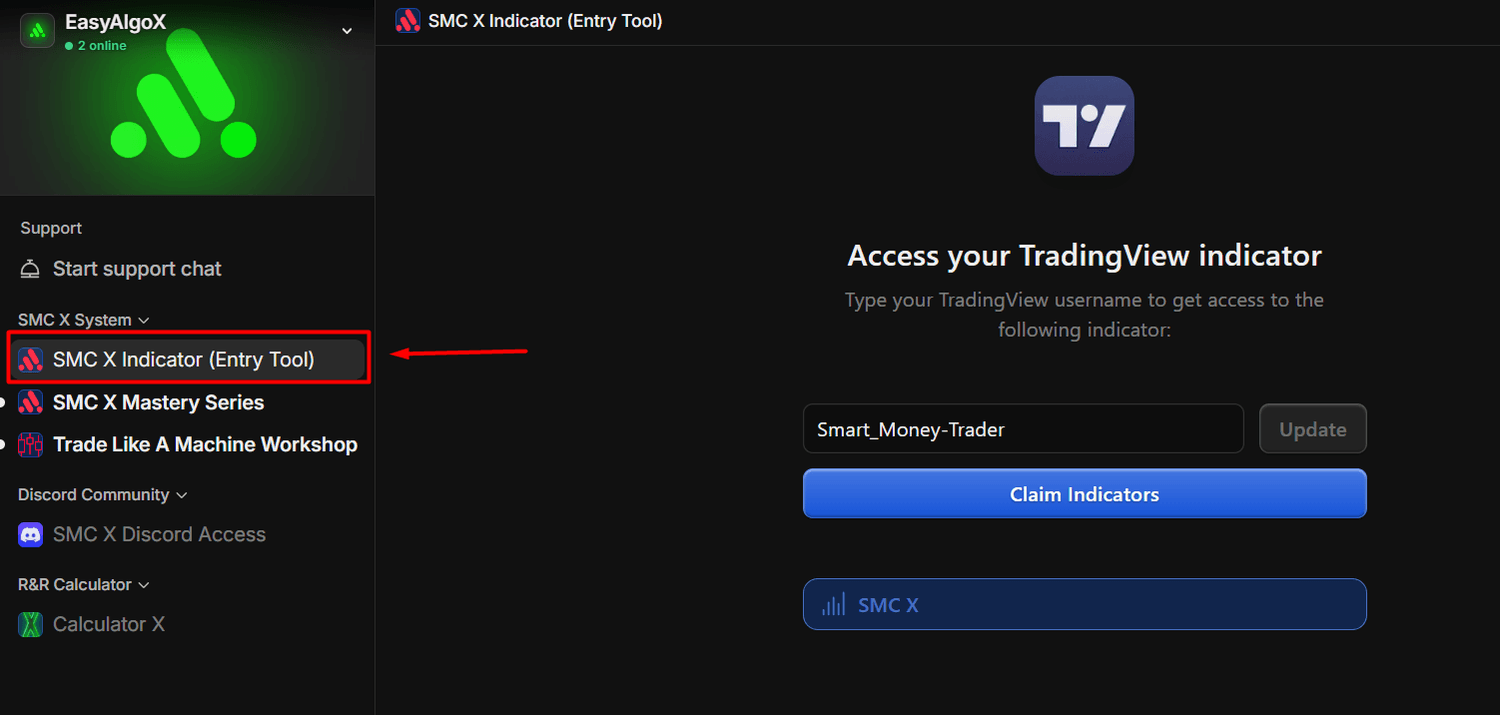
STEP 1 : Claim Access To you Indicator
Click on the Indicator section within the system that you have purchased, then it will open up a link to connect your tradingview username - once you connect your tradingview username -- go into tradingview and look in the invite only scripts.
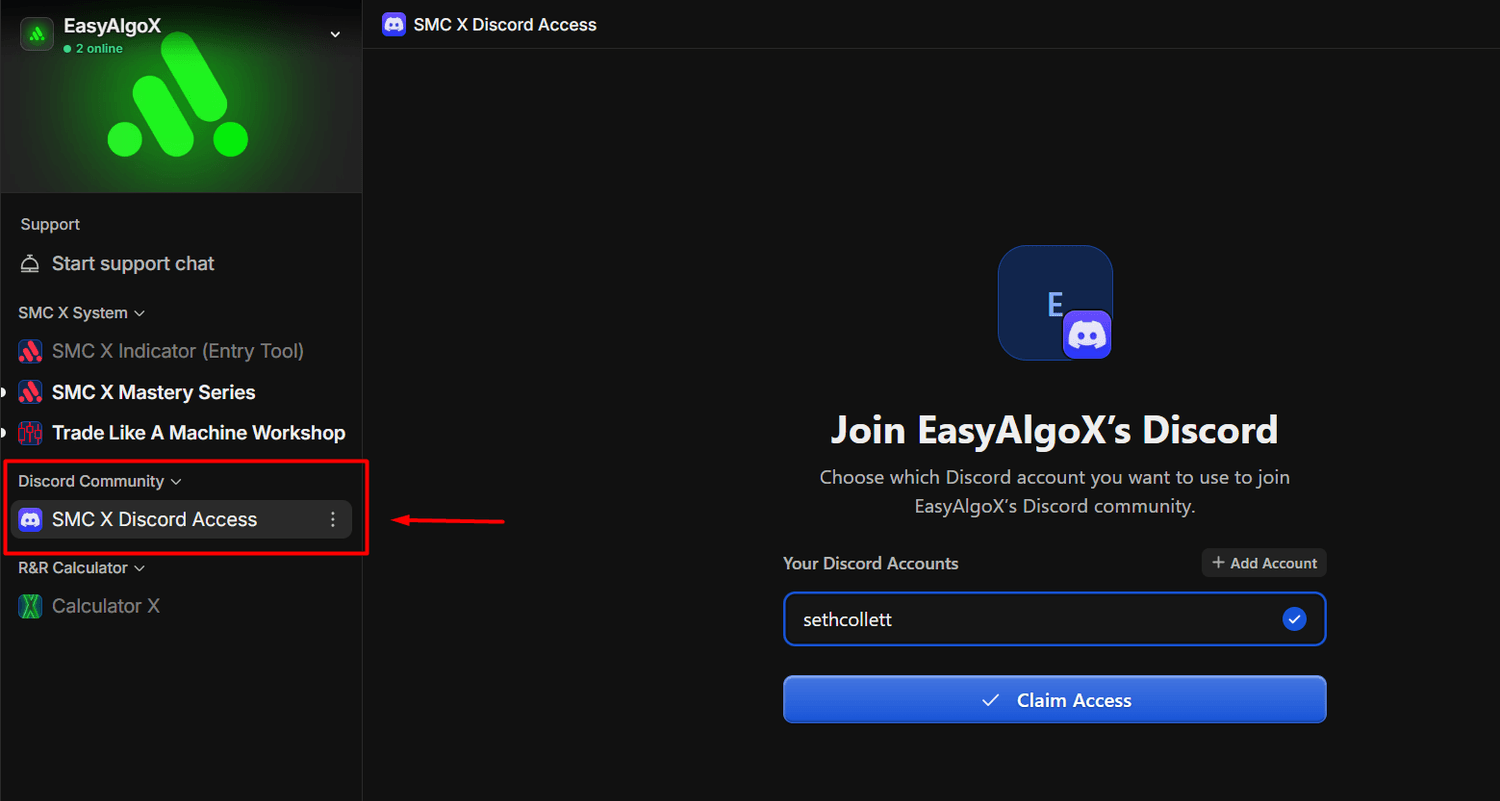
STEP 2 : Join The Discord Group
Click on the Discord Communition section - then click on the Discord Access button -- Then add your discord username and claim access -- this should direct you into the Discord group. ( you can get any help you need inside the group )
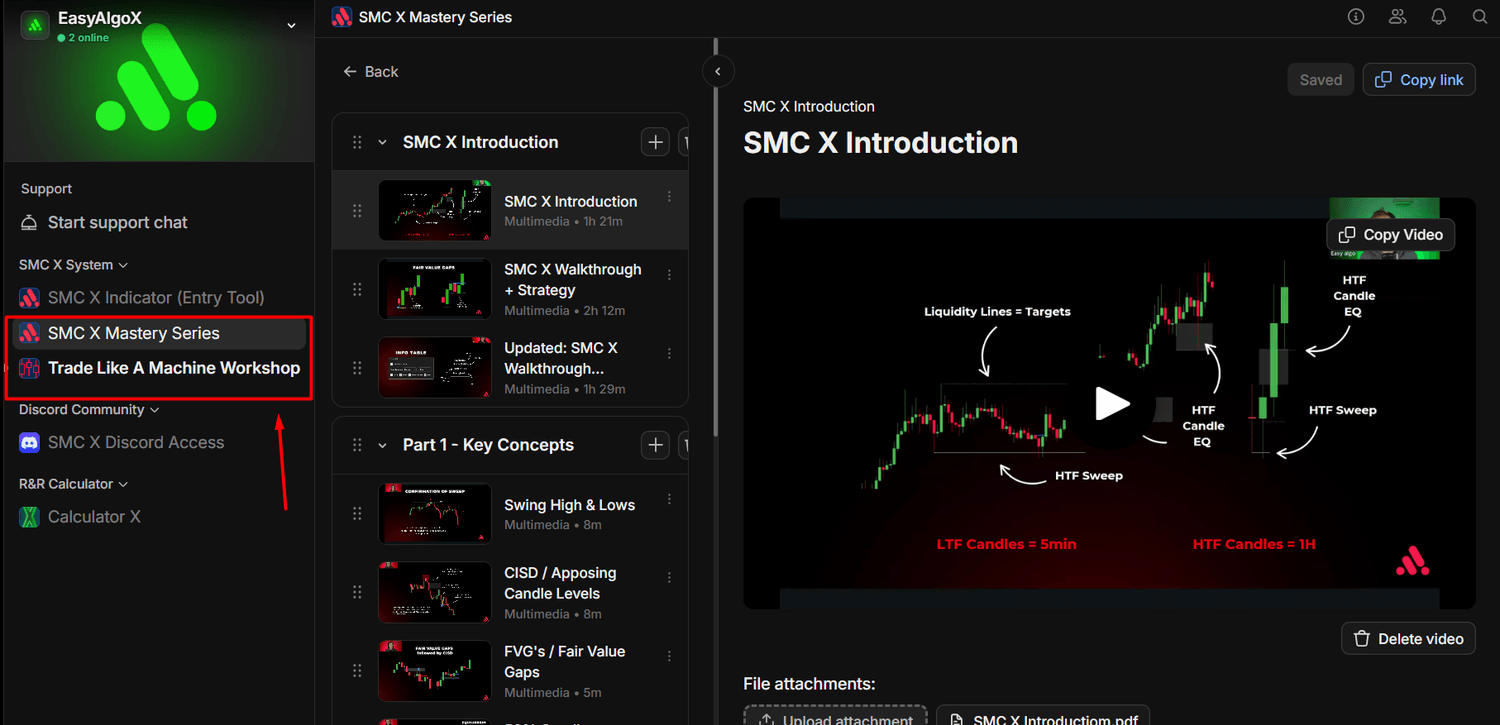
STEP 3 : Click To Watch Training Videos
Depending on the System you Subscribed to, you can click on the training associated with that Indicator and Course.
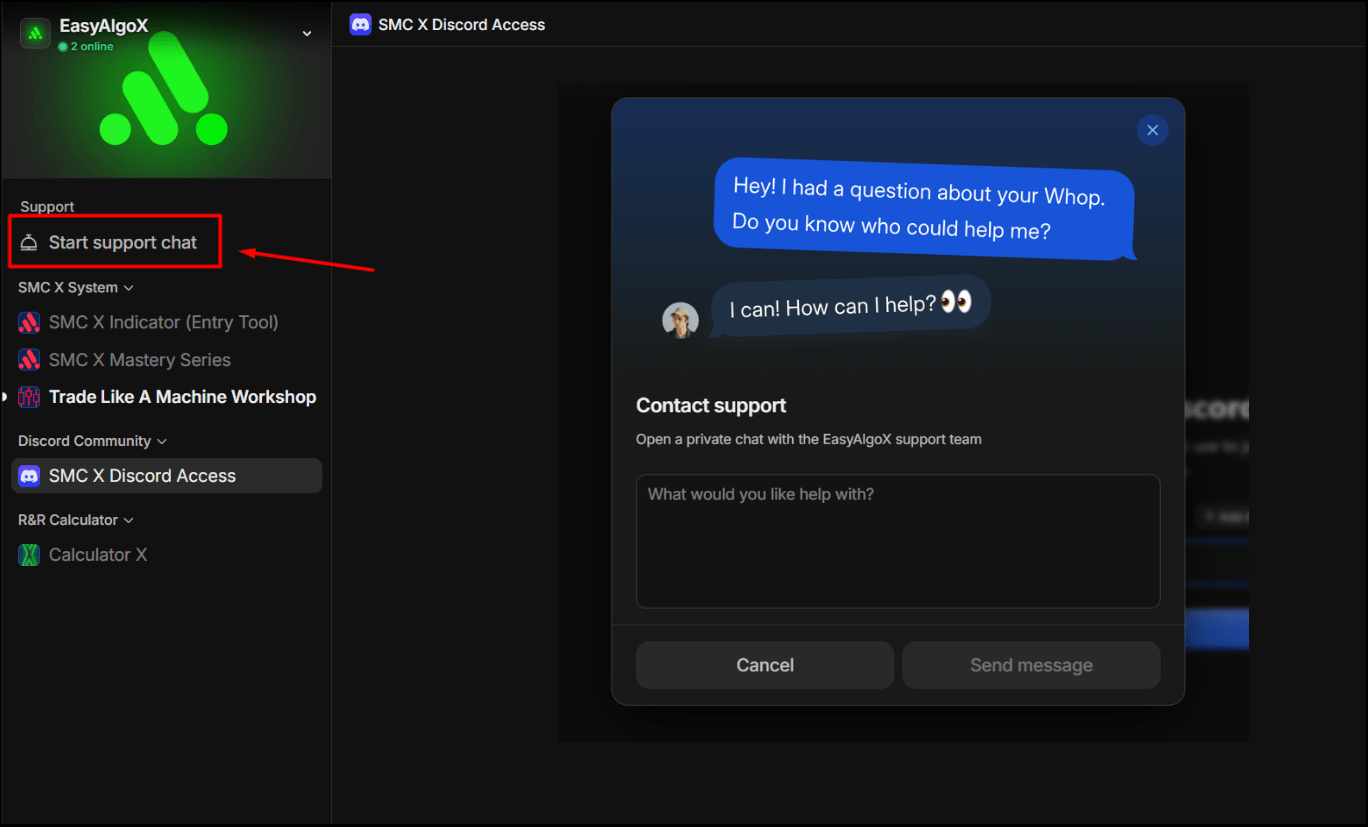
STEP 4 : Get More Support
If you in need of more support please click on the